Waze is a social traffic and GPS navigation app, available free from the App Store. Its popularity comes from helping you reach unfamiliar destinations by a fast route, saving time. If you have Waze 4.0, this article describes its improvements.

What makes Waze effective?
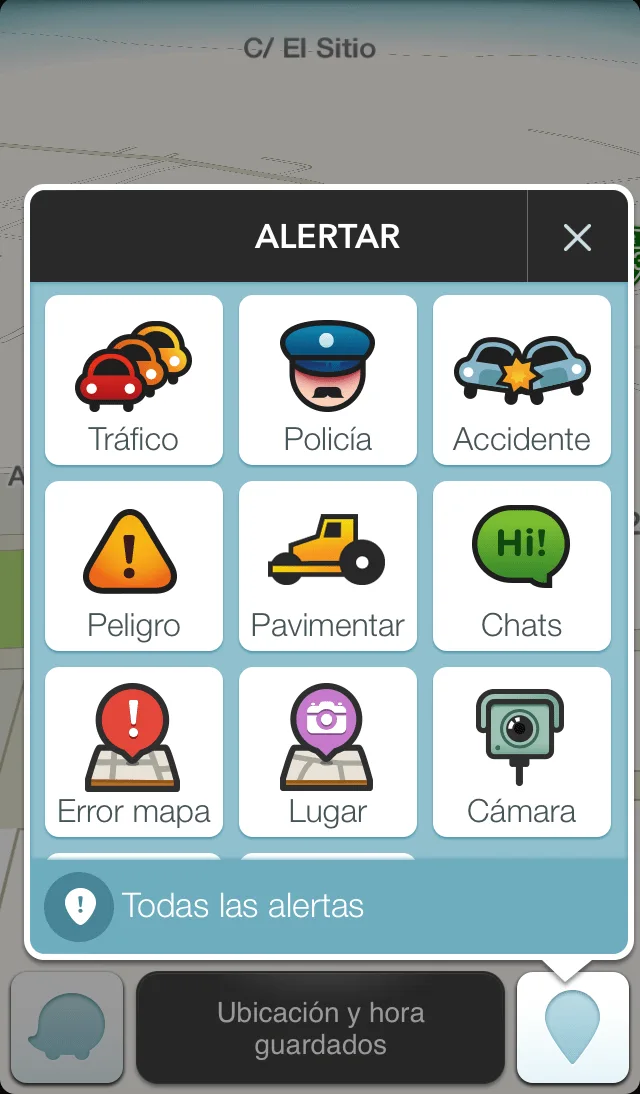
Other drivers nearby share real-time road and traffic information to help save time and fuel. Users can report heavy traffic, traffic police, accidents, closures and other conditions.
Waze also has an active community of map editors who keep the maps up to date, so it doesn't send you down the wrong route.
Enter a destination for an estimated arrival time. While traveling, the app also shows your current driving speed.
Save Home, Work and frequent destinations as favorites for easier access.
Basic Waze guide
1. Download the app on your iPhone.
2. Register and enter Home, Work and other addresses so you do not need to type them for every trip.
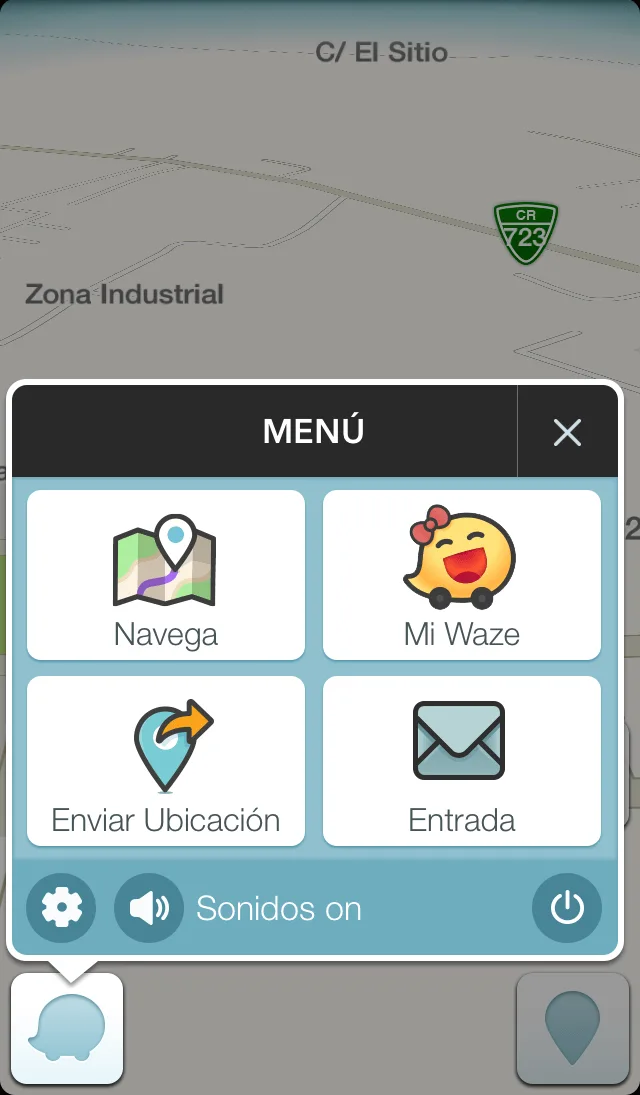
3. Tap the following button to access the main functions:

4. The menu offers Navigate to choose a destination, My Waze for your profile, Send Location to share a place, and Inbox for Waze messages. It also provides app settings, sound controls and an option to turn Waze off so it stops consuming battery.
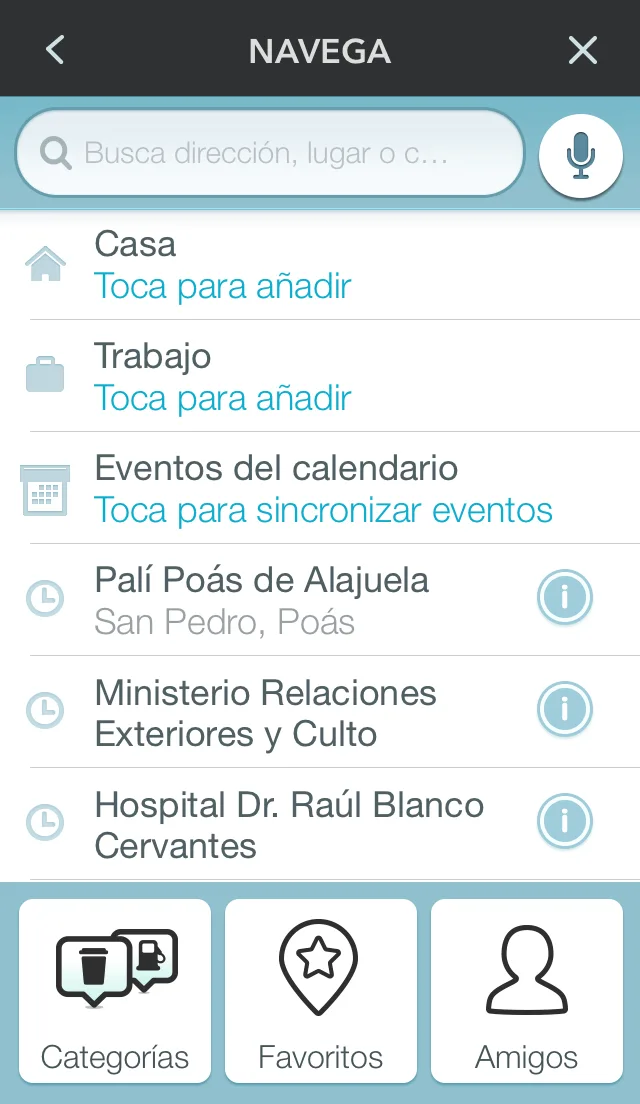
5. Under Navigate, choose Home, Work, Recent Destinations, Categories, Favorites or Friends, or type a place into the search bar.
Note: While navigating, the reporting button lets you alert others about heavy traffic, traffic police, accidents and more, helping other Waze users plan their journeys.

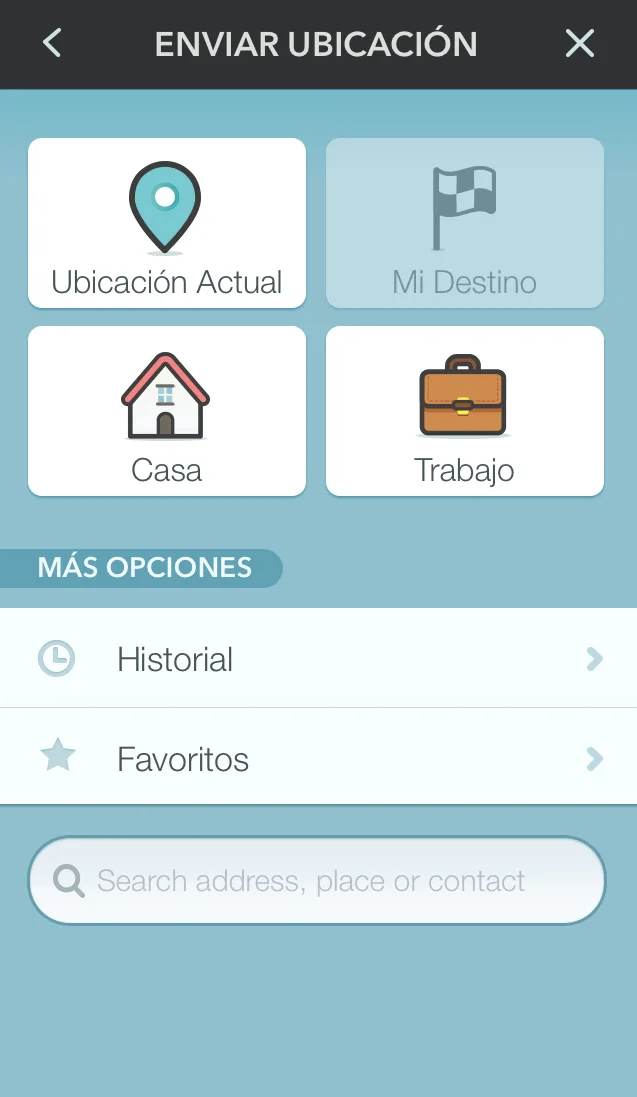
6. Send Location lets you share your current position, destination, Home, Work, previous destinations or favorites. You can search for a destination and send it to another Waze user. The recipient receives a link that opens Waze and starts navigation. If a wrong turn is made, Waze recalculates without requiring the destination to be entered again.
If you have questions about Waze, leave a comment and we will be happy to help.