
INDEPENDENT TECHNICAL SERVICE
Apple service for businesses
iGenius offers service for Apple products and business solutions throughout Costa Rica.
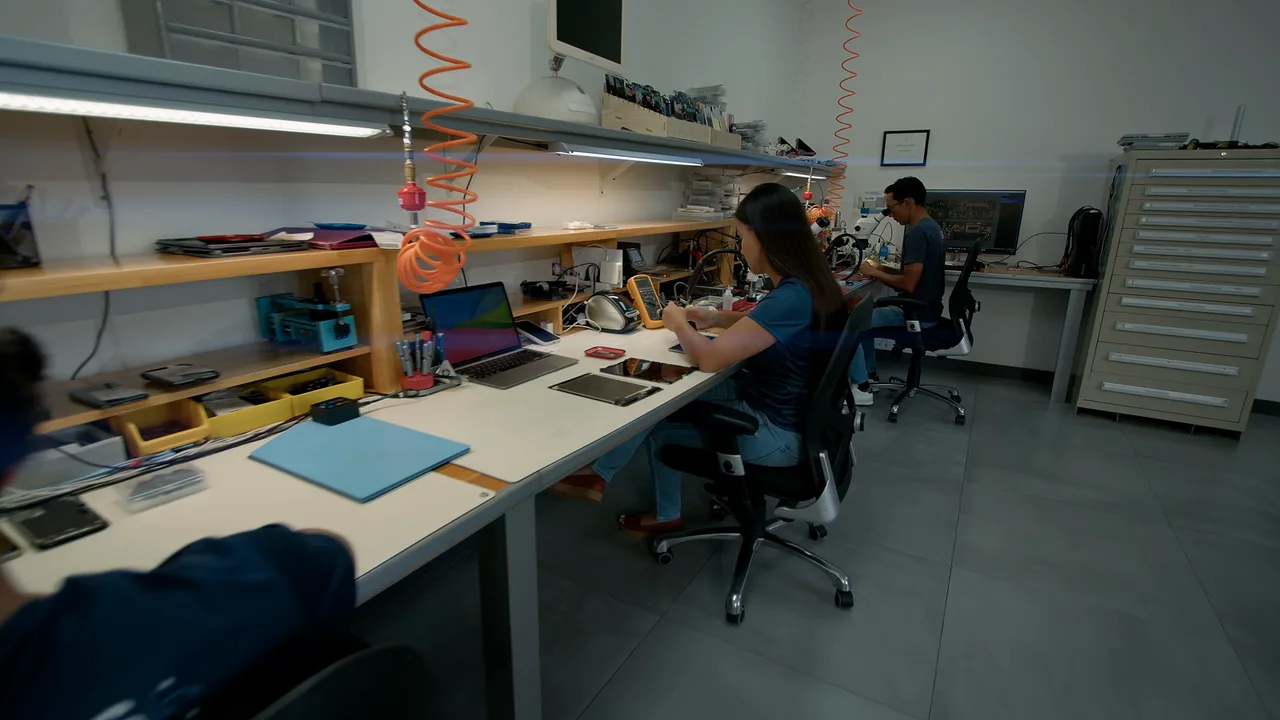
iGenius offers service for Apple products and business solutions throughout Costa Rica. We have more than 15 years of experience with these devices and handle component faults as well as electronic logic board repairs.
Does your business have several Apple devices?
If you need a Mac, iPhone or iPad inventory inspected, send us the number of devices, their models and faults. Tell us which are priorities and what backups you need so we can assess the work and coordinate service.
- MacBook, iMac and Mac mini repair.
- iPhone repair: screen, battery, charging and electronics.
- iPad repair for personal and business use.
- Logic board diagnosis and repair.
Ask about service options, timing and warranty for each device. Customer care and a clear explanation of the work are central to our relationship with your business.
Applications and solutions with FileMaker
We also design and develop applications for iPhone, iPad and Mac using the FileMaker platform. Tell us about the process you need to address to discuss a project’s scope.
Guidance on regaining account access
If you cannot access your Apple or iCloud account, ask about guidance using Apple’s recovery procedures. Physical repair of a device does not remove its Activation Lock.
Contact iGenius
We are 175 meters east of Palí, Grecia, Alajuela. Request service for your device or business inventory, or call 4200-0707.
Apple Watch and other Apple devices
You can also ask about screen, battery, charging or liquid-damage problems with Apple Watch and other Apple products. Give the family and generation: we confirm whether we can perform the service and whether parts are available for the exact device.
Organize your business devices
Prepare a list with the model, quantity, fault and operational priority. Before handing over devices, coordinate backup needs and work authorization. Read our guide to organizing an Apple inventory that needs repair.
See our workshop’s work
We share our own photographs of devices opened at iGenius and explain how we assess dust buildup and liquid-damage inquiries. See Apple device maintenance and inspection in our workshop.
Apple repair for customers throughout Costa Rica
We receive and return devices through Correos de Costa Rica nationwide. We also coordinate courier service in the Greater Metropolitan Area (GAM) and the Western Region. You can inquire from any province, whether for a personal device or a business inventory.
Before sending your device, write to us with the model and fault to arrange receipt and confirm the options, transport cost and timing. Diagnosis and parts availability are assessed for each device.
How to send your device for repair · Arrange via WhatsApp · Inquire by email
Nationwide service
Three ways to get your device to us.
Wherever you live. People bring and send us devices from Guanacaste to the southern zone.
Visit our store
Bring it in person. We receive it at the store and our technicians examine it in the laboratory.
- Monday to Friday, 9 a.m. to 6 p.m.
- Saturdays, 9 a.m. to 5 p.m.
- Closed from 1 to 2 p.m.
Mail it with Correos de Costa Rica
From anywhere in the country. We send it back the same way.
- Write to us before you send it
- We explain how to pack it and where to send it
- We let you know when it arrives
Our messenger picks it up
Our messenger collects it and brings it back repaired.
- San Ramón, Palmares and Alajuela
- Heredia and San José
- The rest of the Greater Metropolitan Area
Let’s talk about your device.
Leave an available contact method, even if your phone isn’t working. You can send your inquiry from this site.