iOS keyboard autocorrection can help avoid spelling mistakes in formal conversations. With friends or family, however, you may use expressions the iPhone or iPad does not recognize, and unwanted word changes can be frustrating. To avoid that, turn off keyboard autocorrection. iGenius shows you how.
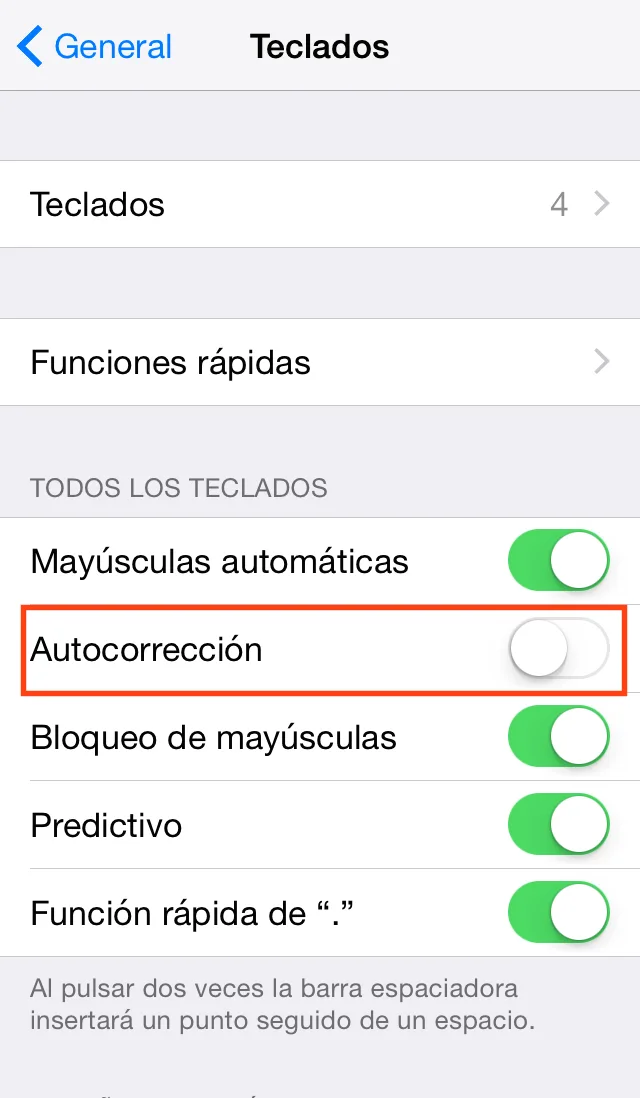
If you decide to disable autocorrection, follow these steps:
1. Open Settings on the iOS device.
2. Tap General.
3. Scroll down and tap Keyboard.
4. Turn the Auto-Correction switch off.