App updates bring improvements and new features, but not every user likes them. One feature the author finds annoying is Facebook's automatic video playback, which appears intended to keep people using the network longer. If it bothers you, follow these steps to disable it.
From the Facebook app on iPhone, iPad or iPod
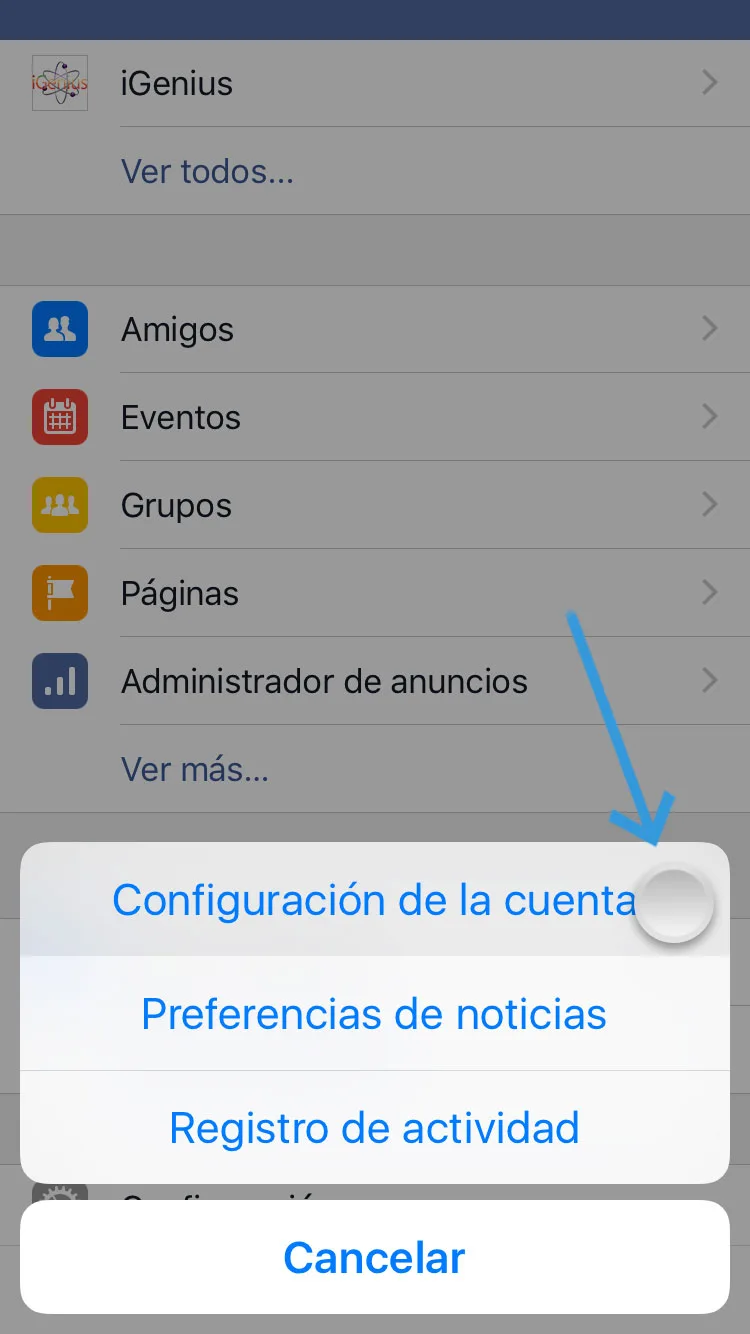
1. Tap the three bars at the lower right to open the app's options.

2. Scroll until Settings appears.
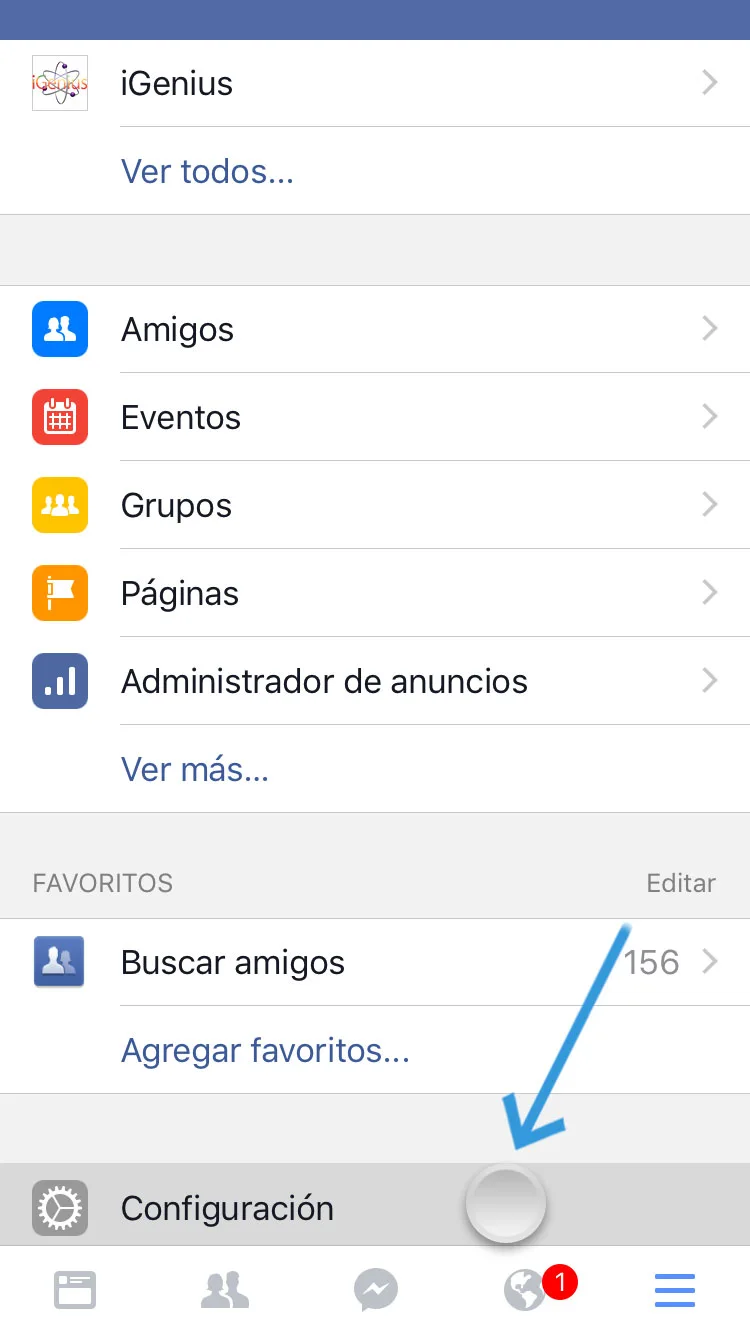
3. Select Account Settings.
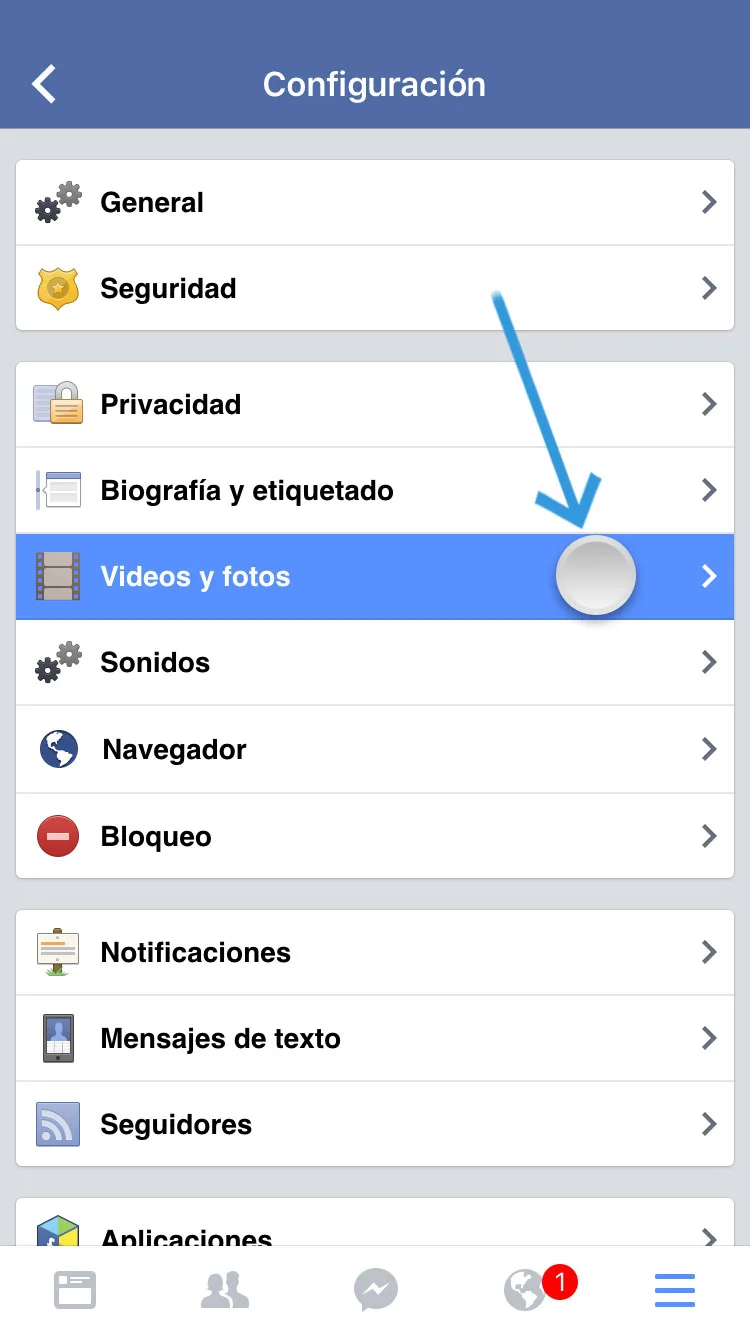
4. Tap Videos and Photos.
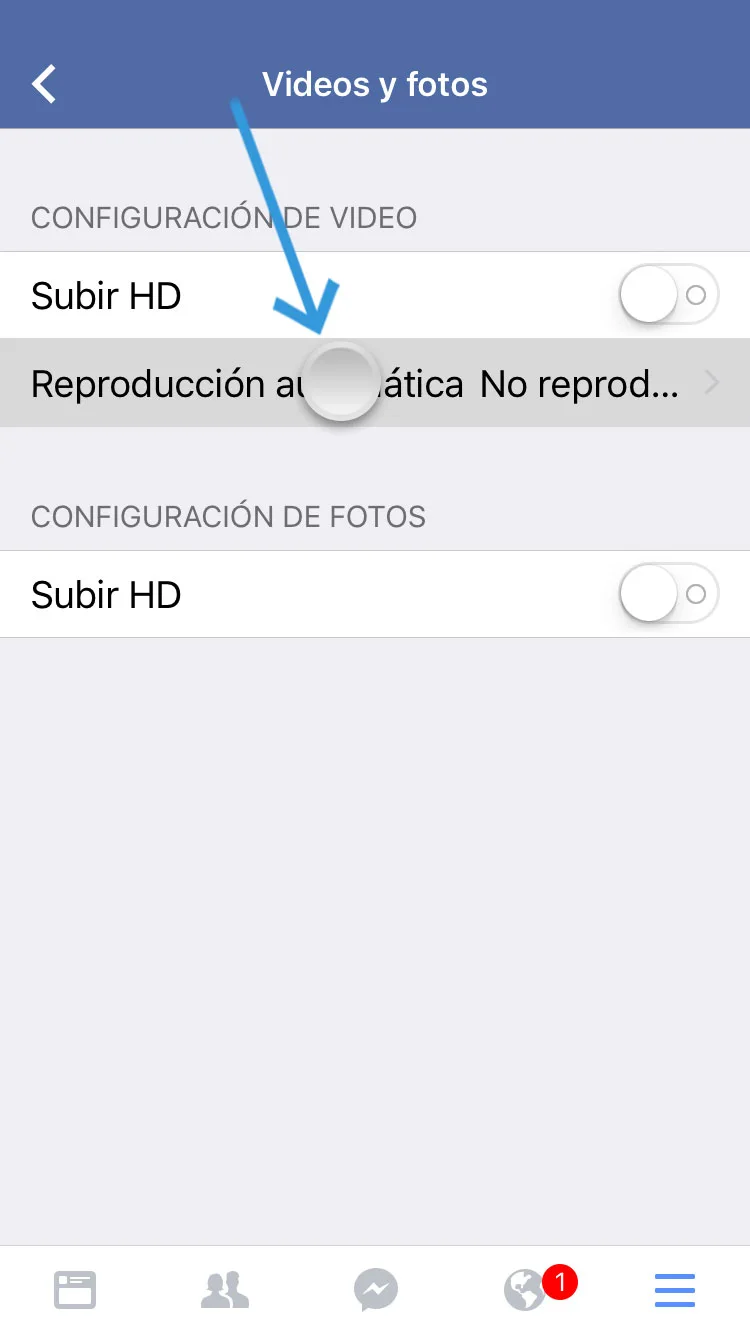
5. Tap Autoplay.
6. Select Never Autoplay Videos.
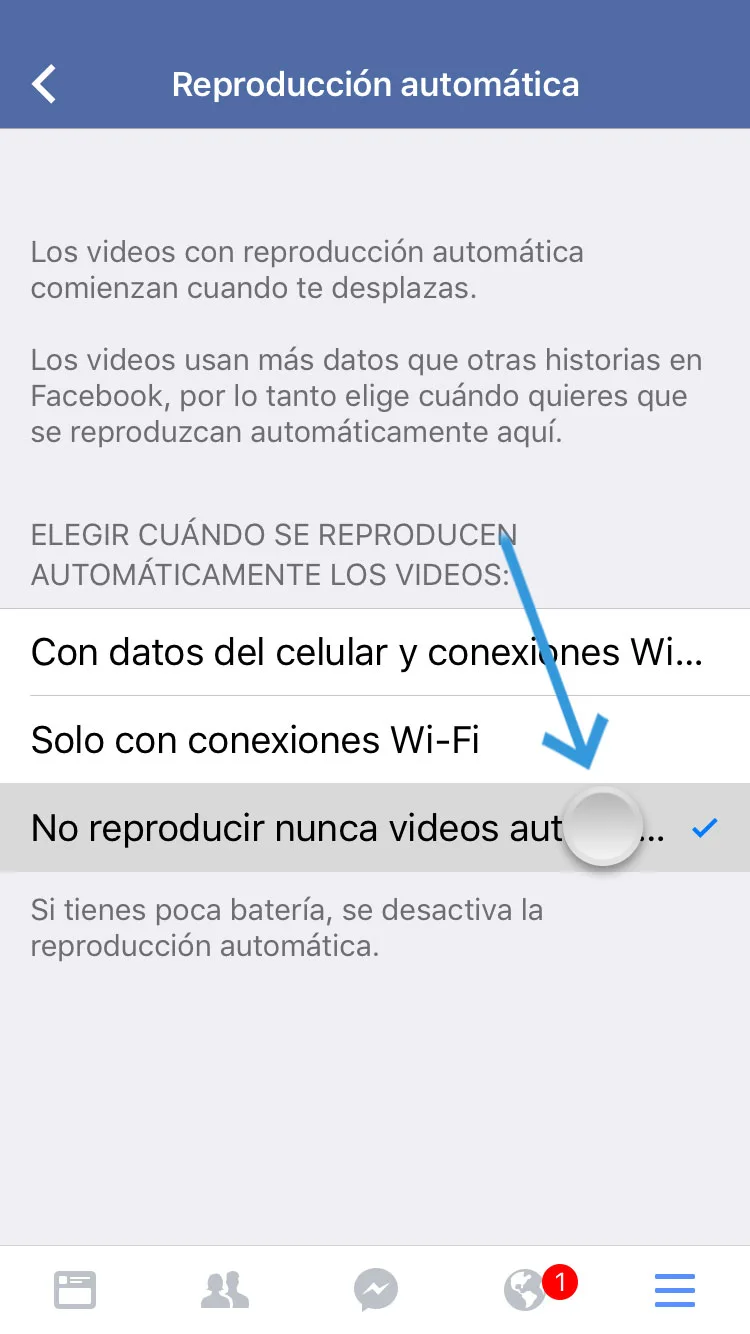
Although Facebook notes here that autoplay stops when the battery is low, many users consider it an annoyance regardless of battery life.
From your computer
1. Open your preferred browser and visit Facebook. 2. At the upper right, beside the notification globe and privacy-settings padlock, click the triangle.

3. Click Settings in the menu.
4. In account settings, click Videos in the left-hand menu.
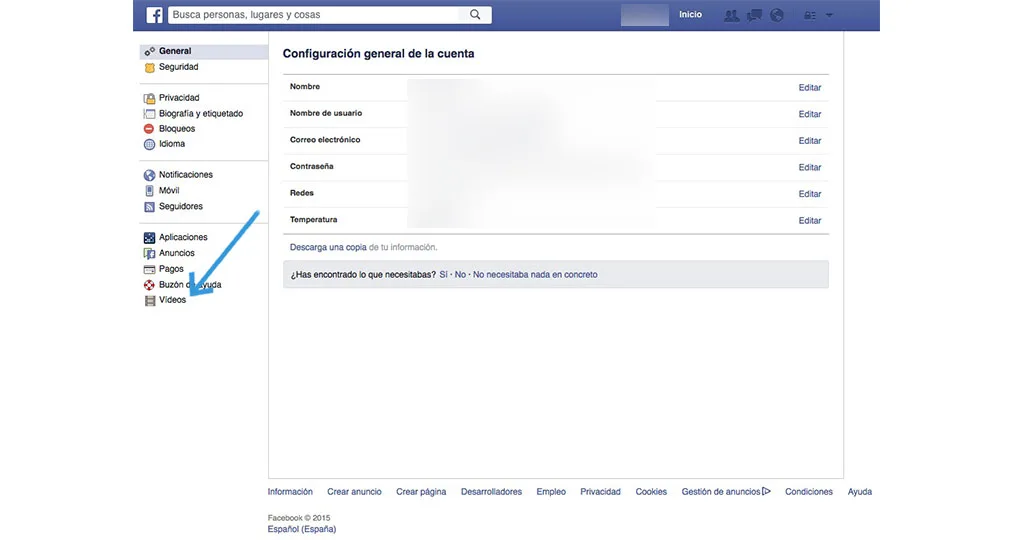
5. Under Auto-Play Videos, choose Off from the dropdown menu.
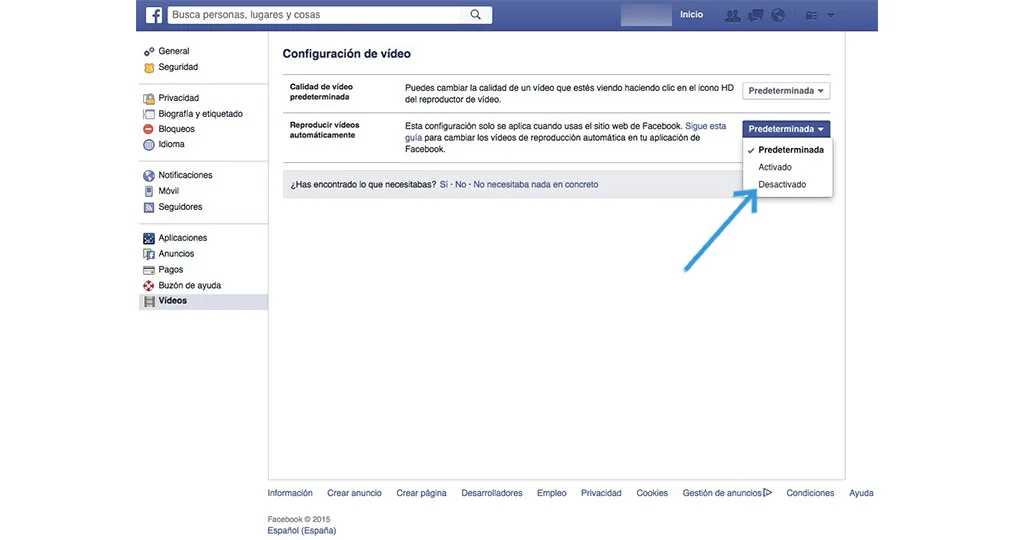
Videos will no longer play automatically as you scroll through friends' and pages' posts.
If you like this post, share it using the social-network icons below, or subscribe to our newsletter for more tips.