
Browse and check your email without falling into traps: verify a site's real address, find your downloads and recognize a suspicious message.
Check the address before signing in
Safari is the app for browsing the internet. In its search field you can type a website's address or run a search. Before signing in, review the full domain, which is the site's name inside the address.
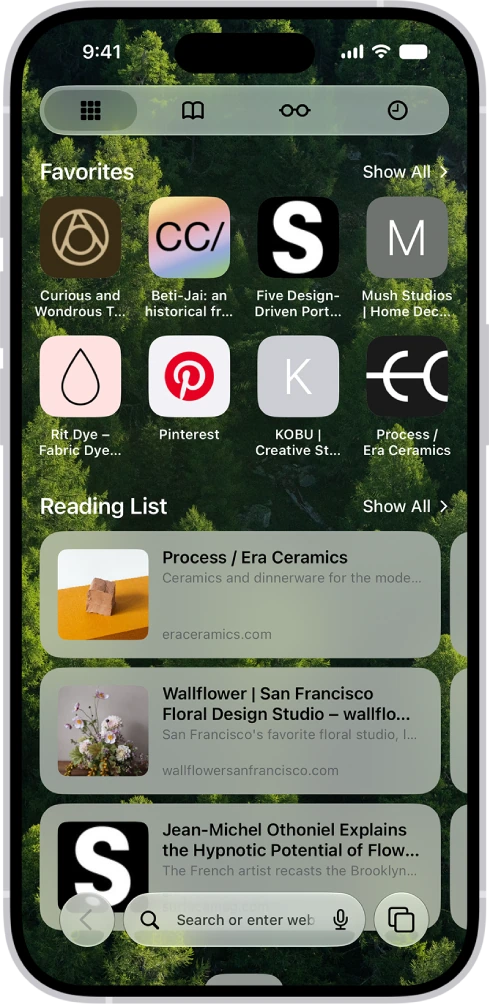
Private Browsing opens tabs that do not appear in History on the iPhone or in the list of tabs on your other devices; it does not make you invisible to the website or the network. Review camera, location and notification permissions when a page asks for them.
Browse, save and download
- Open Safari and type the address of a site you know in the search field.
- If you visit it often, tap the Page Menu button, next to the search field, and tap Add Bookmark.
- Choose a location, such as Favorites, and tap Save.
- If you need several pages, tap the Tabs button, then the Add button to open another one. Switching tabs does not sign you out of a service.
- To close a tab you have finished with, tap the Tabs button, then the Close button in the upper-right corner of that tab.
- To find a legitimate download, open Files, tap Browse, then the Downloads folder; if you do not see it, tap iCloud Drive.
- When Passwords offers to fill in a sign-in, check the site and the account.
Add your email account to Mail
Mail works with an email account you already have; opening the app does not automatically create an address. The first time you open Mail, it asks you to set up an account; later you can add another in Settings: tap Apps, Mail, Mail Accounts and Add Account, and enter your address. For work email, follow your company's instructions.
To write an email, tap the Compose button. Before sending, check three things:
- The recipients.
- The account you are sending from.
- The attachments. An inserted image, a link and an attached file may arrive in different ways; if the format matters, check the result with test content.
Recognize suspicious requests
A display name can imitate a contact. Review the actual address and confirm payments, account changes or urgent requests through another known channel.
YOUR TURN
Try it now
You did it if the site was saved among your Safari bookmarks, you saw the Downloads folder and the draft was saved without being sent.
Your progress is saved only in this browser. No sign-up.