GUIDES AND KNOWLEDGE

Restart your iPhone without the power button

If the Power/Lock button is faulty and you cannot use the source's usual restart method of holding Home and Power until the Apple logo appears, here is an alternative.

Original article image: Restart your iPhone without the power button

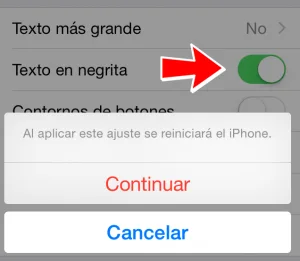
Go to Settings, General, Accessibility and enable Bold Text. In the described iOS version, changing this option requires a restart. To remove bold text, repeat the process.
Original article image: Restart your iPhone without the power button

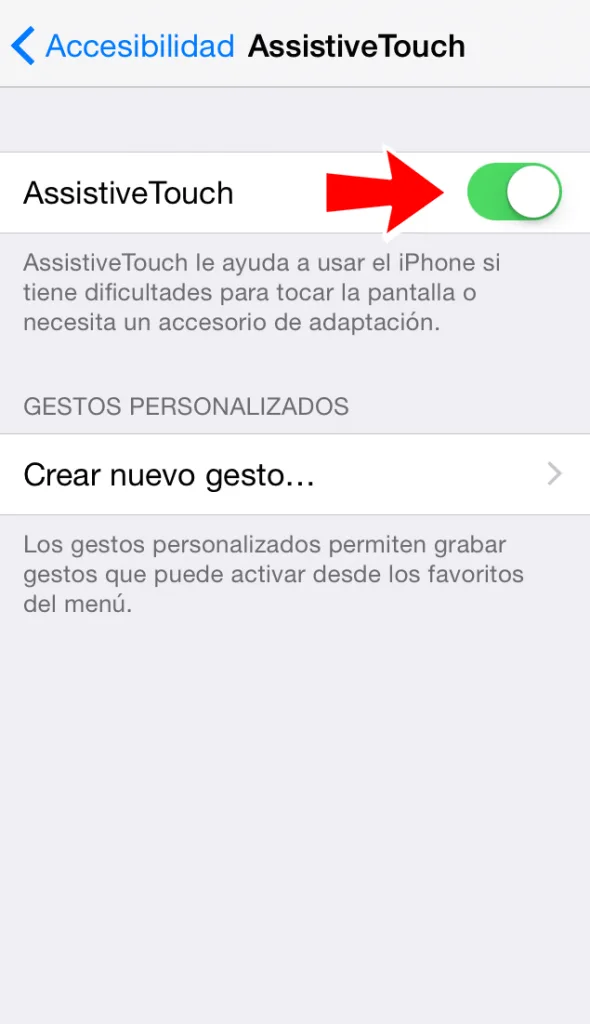
Another way to restart without the power button is to open Settings, General, Accessibility, scroll to Interaction and open AssistiveTouch.
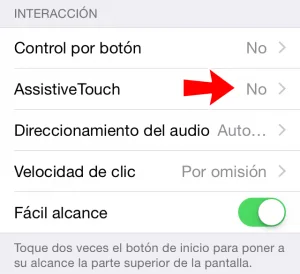
Original article image: Restart your iPhone without the power button

Make sure AssistiveTouch is enabled.

Original article image: Restart your iPhone without the power button

The following button appears on screen:
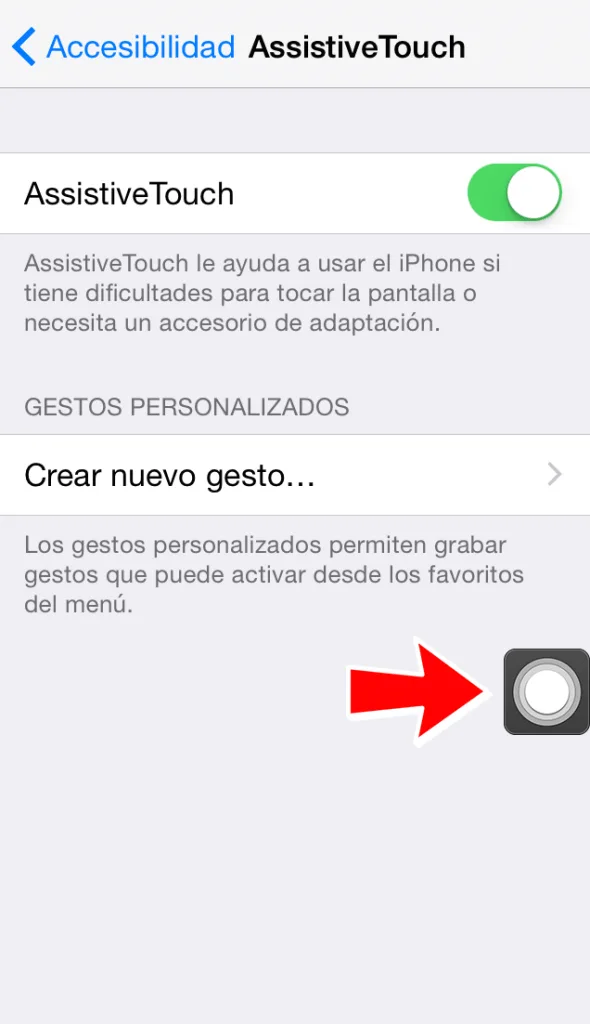
Original article image: Restart your iPhone without the power button

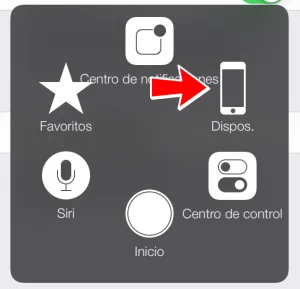
Tap it and open Device.

Original article image: Restart your iPhone without the power button

Hold Lock Screen until the Power Off option appears at the top, then slide right to turn the iPhone off.
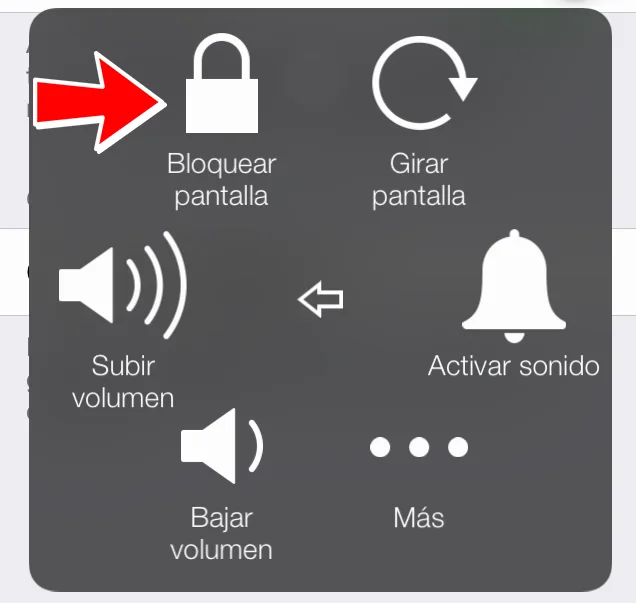
Original article image: Restart your iPhone without the power button

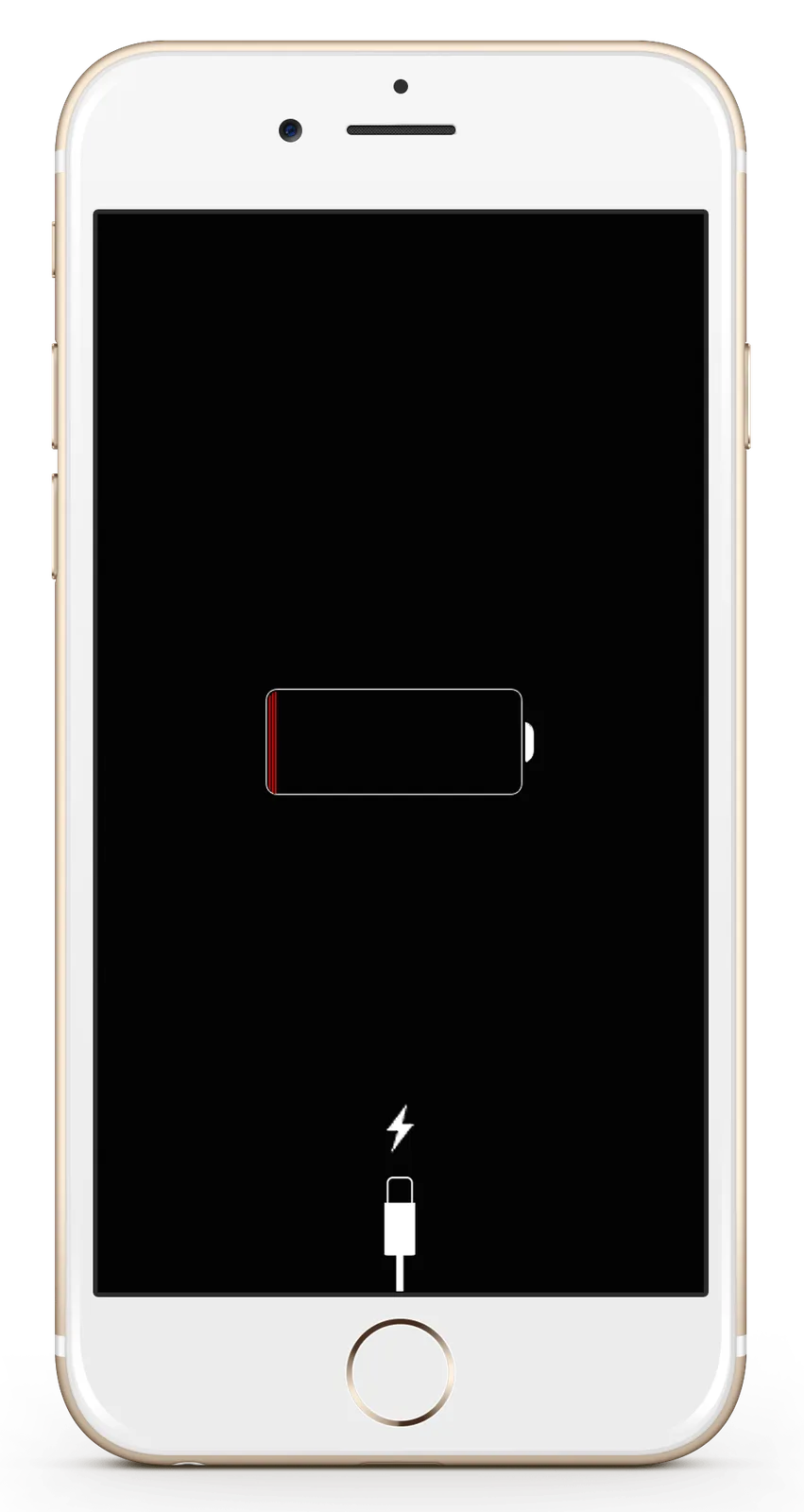
To turn it on again, connect the charger or a computer using USB, completing the restart. If it does not turn on, there may be a device or cable fault; contact us to arrange diagnosis or repair.
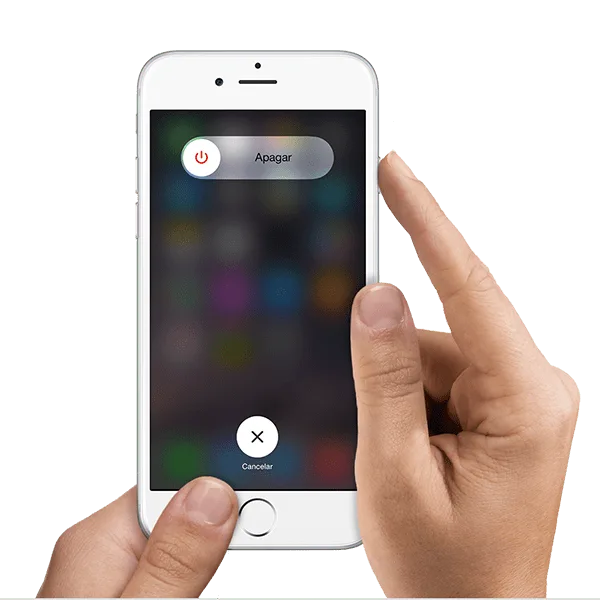
Keep reading

Let’s talk about your device.

Leave an available contact method, even if your phone isn’t working. You can send your inquiry from this site.

iPhone repair at iGenius

Repair my device

Your privacy,
your choice.

You can allow optional Google Analytics measurement to help us improve this page. We don't send your inquiry content, passwords or device details. You can browse without this measurement.

Read privacy policy
STEP 1 OF 51 of 5

REPAIR REQUEST

Which device needs repair?

Choose one. Next we ask for the model and the fault.

Choose your device