For service or a repair quotation, iGenius asks for the serial number or IMEI of the iPhone, iPod, iPad or iPod touch. This identifies the correct part and helps estimate repair costs, including when requesting a quote by phone. Follow the guide below, or see how to find a Mac serial number.
iPhone
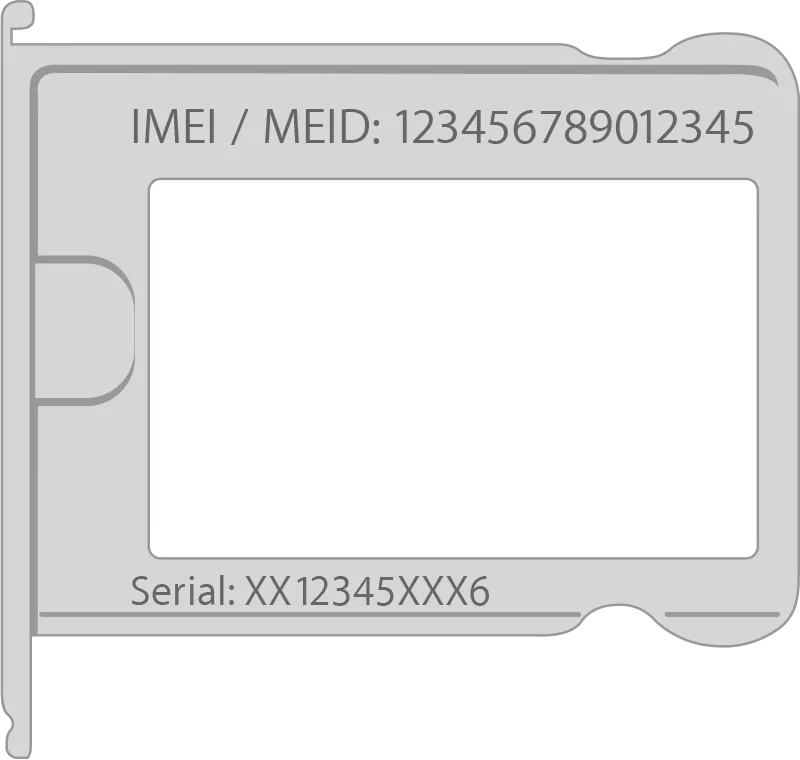
On these devices, the serial number is in Settings and the IMEI is on the SIM tray:
- iPhone 6s Plus
- iPhone 6s
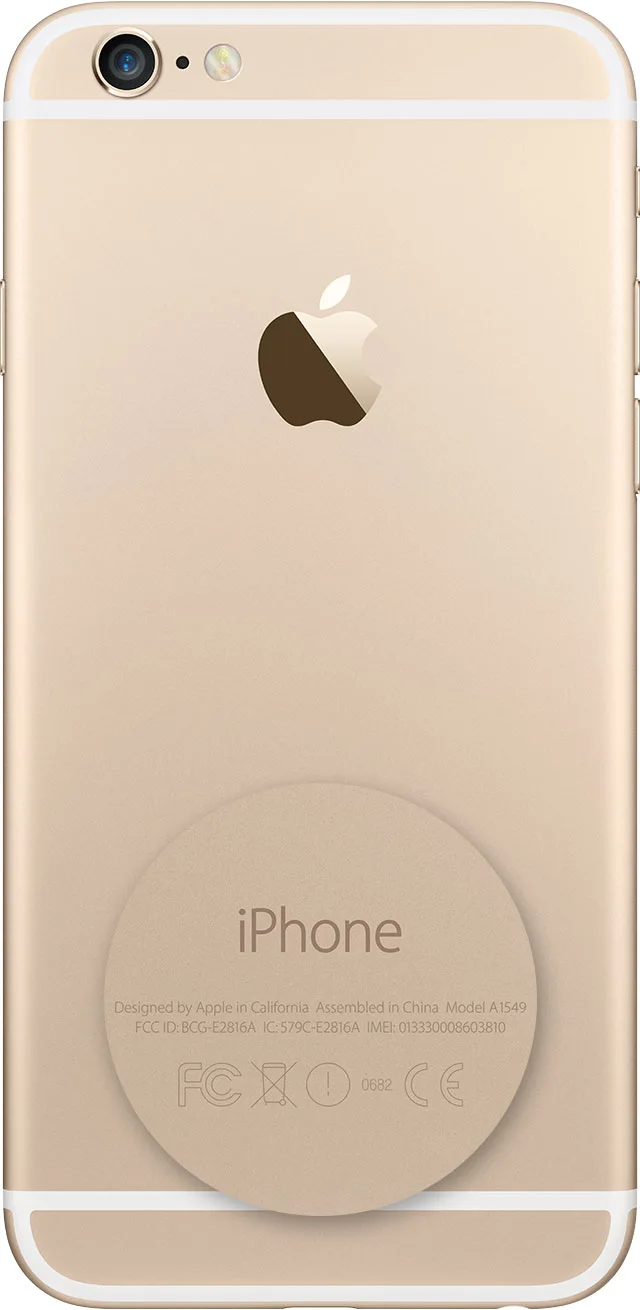
On these devices, the serial number is in Settings and the IMEI is on the back:
- iPhone 6 Plus
- iPhone 6
- iPhone 5c
- iPhone 5s
- iPhone 5
On these devices, both the serial number and IMEI can be found on the SIM tray:
- iPhone 3G
- iPhone 3GS
- iPhone 4, GSM model
- iPhone 4s
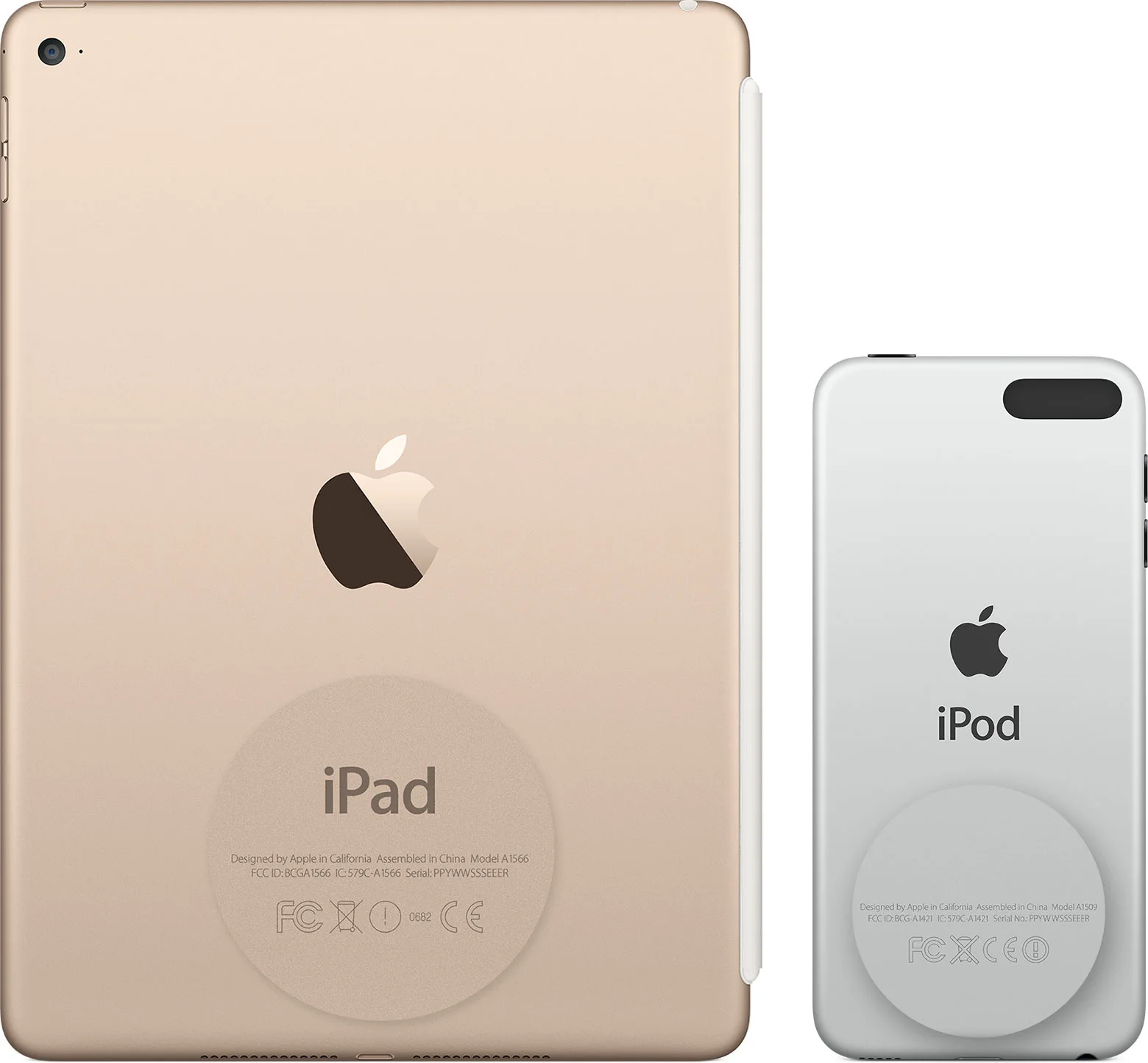
On an original iPhone (2G), the serial number and IMEI are engraved on the back, similarly to the iPod and iPad in the following illustration.
iPad and iPod touch
Find the serial number on the back of an iPad or iPod touch. A Cellular iPad also has an IMEI.
If you do not have the device
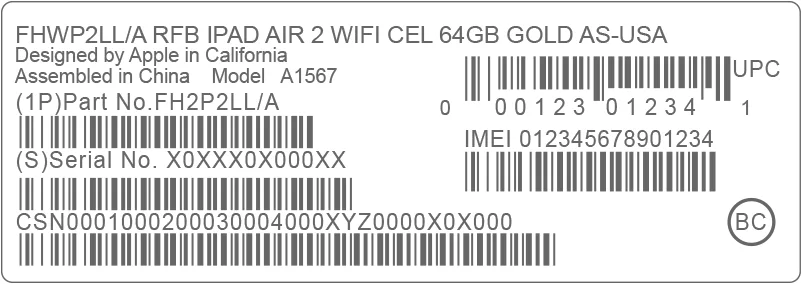
If you still have the original box, look above its barcode for the serial number and IMEI.
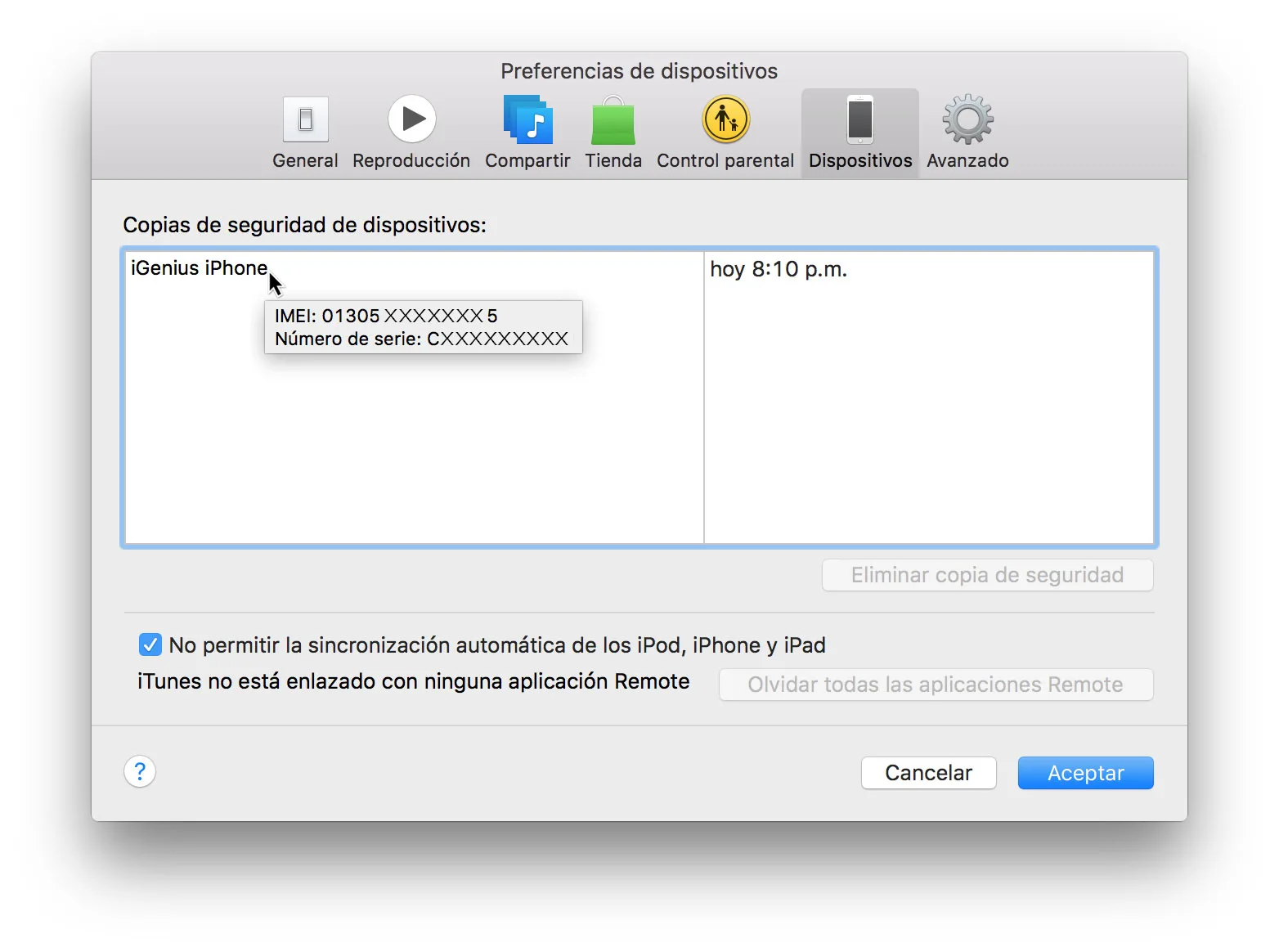
You can also try iTunes on your computer:
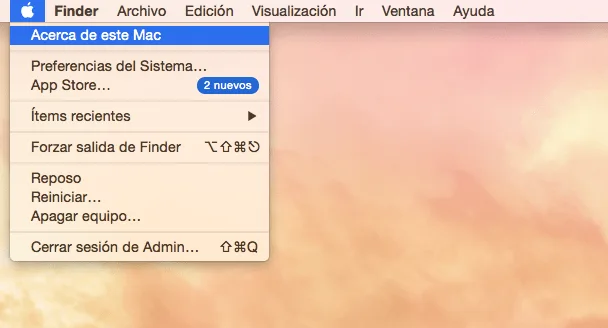
- On Mac, open iTunes → Preferences from the top menu. On Windows, open Edit → Preferences.
- Click the Devices tab.
- Hold the pointer over an iOS device backup to see its serial number. For an iPhone or cellular iPad, the source also lists IMEI/MEID and CDN information.