In 2016, with more than 100 million daily active users and 400 million snaps sent each day, Snapchat was the third most-used social app among teenagers, after Facebook and Instagram.
Holding Snapchat's record button continuously can be awkward or restrictive. You may already know you can use headphone volume controls to take photos, but hands-free video recording requires a longer process using iOS AssistiveTouch. The steps below explain how.

1. On your iPhone, go to Settings, General, Accessibility.
2. Scroll to the Interaction section and select AssistiveTouch.
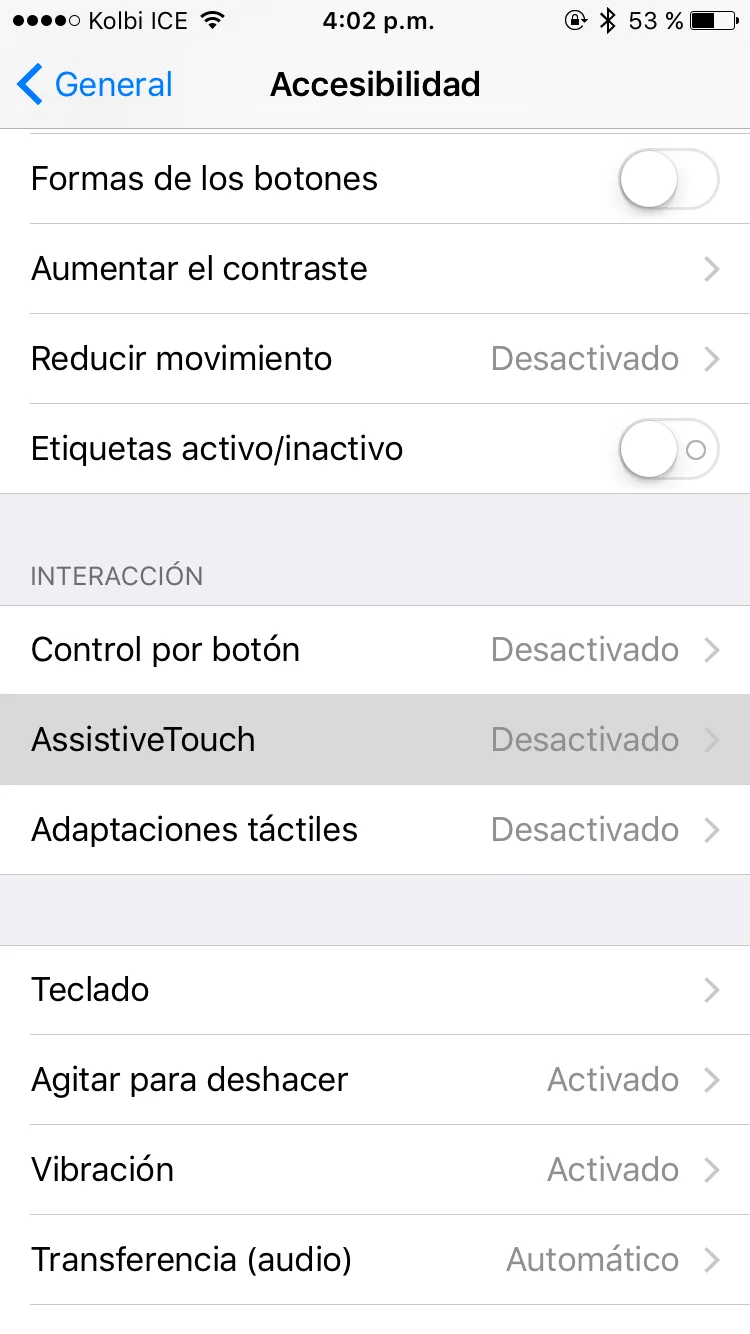
3. Make sure AssistiveTouch is enabled and tap Create New Gesture.
4. Hold your finger anywhere on the screen for 15 seconds, simulating holding Snapchat's record button.

5. Tap Save and give the new gesture a name.
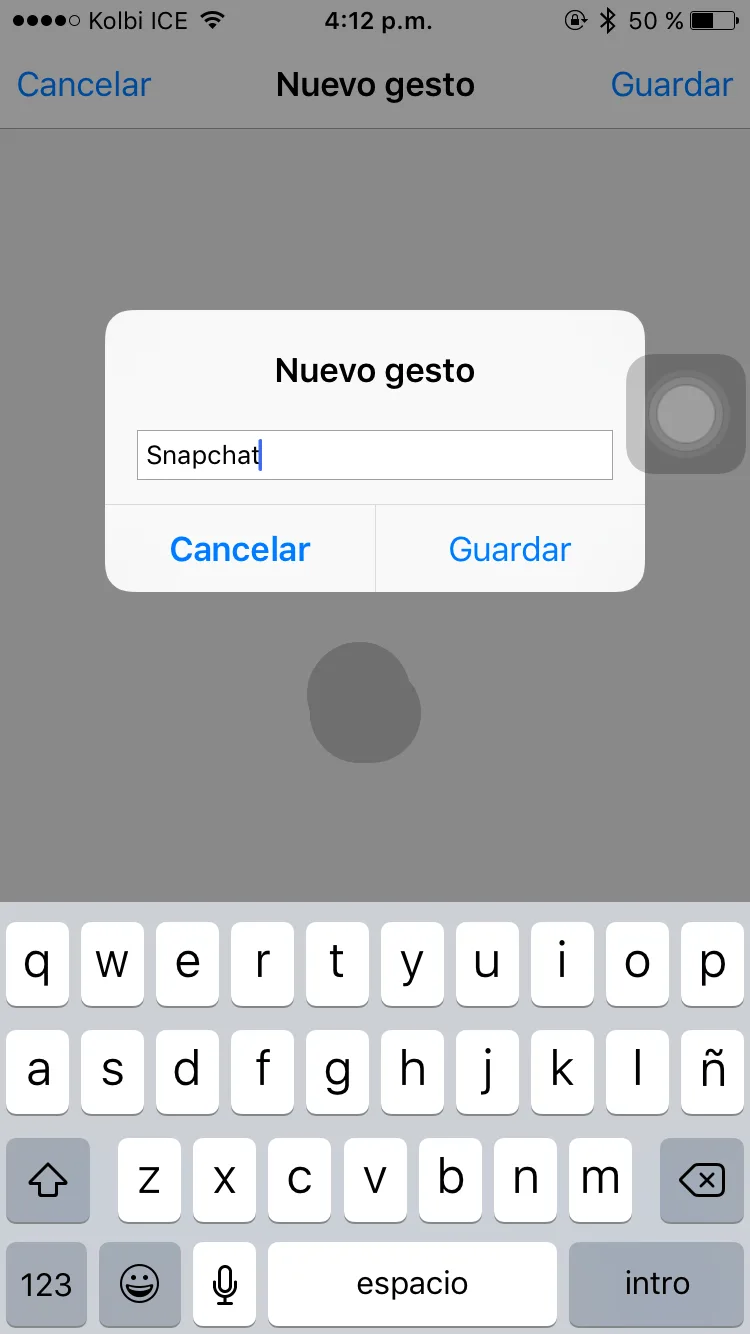
6. Open Snapchat in capture mode, tap AssistiveTouch, then Custom, and select the gesture name you saved. A small circle appears on screen; drag it onto the capture button to begin recording.
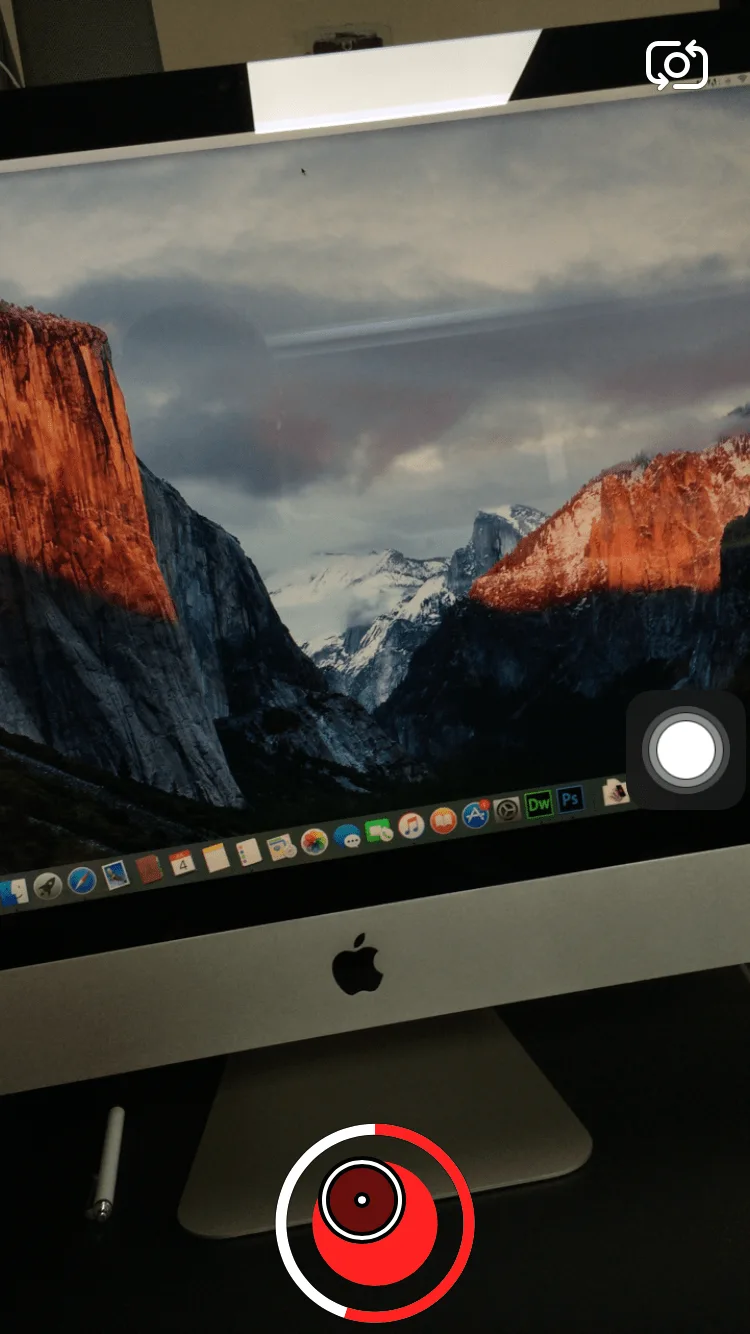
7. After recording, share the video with friends or add it to your Story for 24 hours.